

Overview
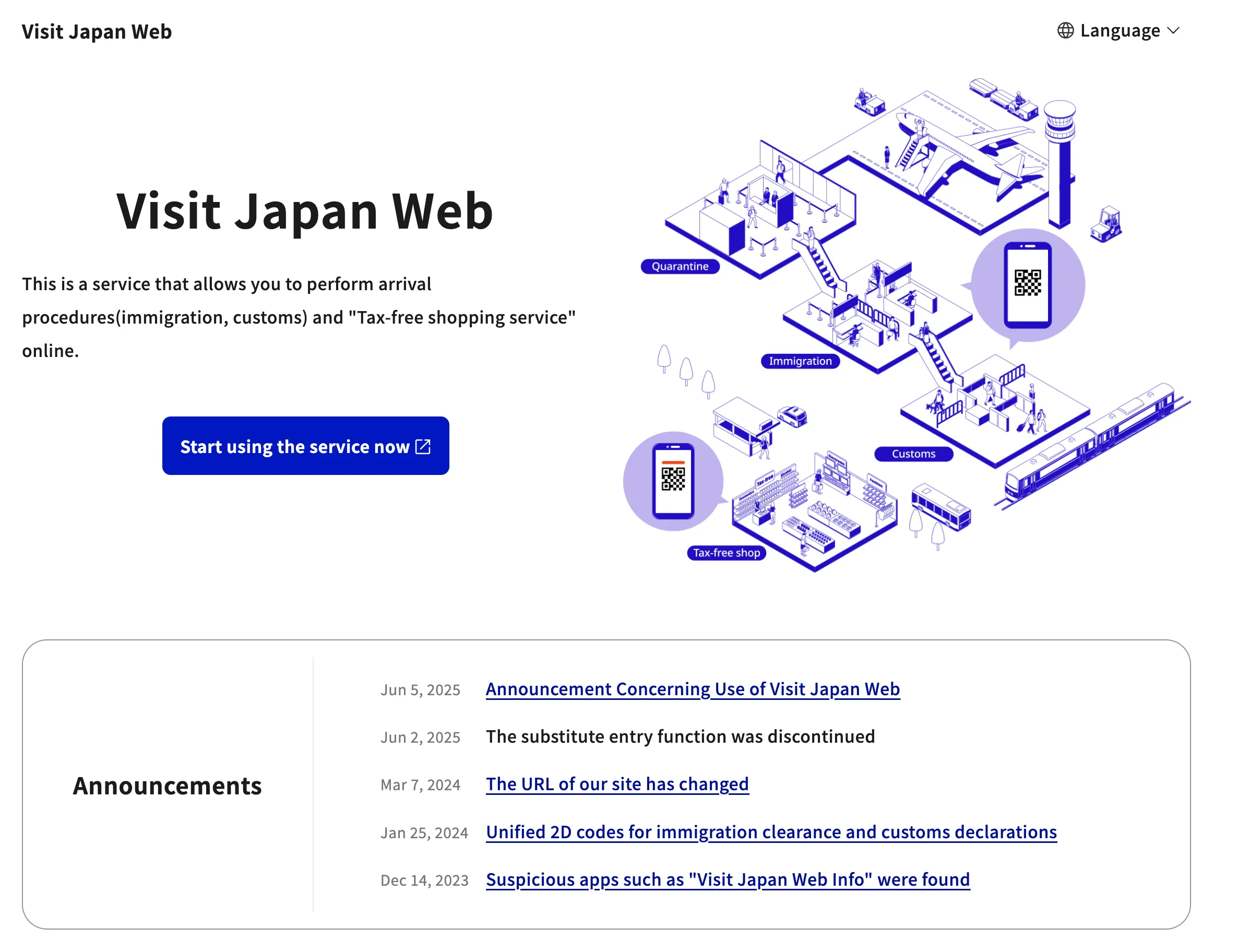
Visit Japan Web is an online service for completing immigration and customs procedures before you arrive in Japan 1. It is designed to make entry faster. However, the system often creates confusion for foreign visitors, especially families.
Using the service is not mandatory. You can still fill out paper forms at the airport or on the plane. This guide explains how the system actually works, where travelers get stuck, and how to use it correctly for your family.
What Visit Japan Web Actually Does
The system handles three main procedures online. It combines immigration and customs forms into a single web-based process. This generates QR codes for you to show at the airport.
First, it covers your Immigration Disembarkation Card. This is the form all foreign visitors must complete. Second, it handles your Customs Declaration, for your personal belongings. Finally, it includes a Tax-Free Shopping Service, which also uses a QR code at participating stores.
Is It Required? The Mandatory vs. Optional Reality
Using Visit Japan Web is not mandatory. The Japanese government recommends it, but you are not required to use it 2. Paper forms for both immigration and customs are still available. Airlines often hand them out on the plane before landing, and you can also find them at the airport upon arrival.
The main benefit of using the web service is potentially saving time. However, this is not guaranteed. The biggest drawback is its reliance on a stable internet connection for setup and the potential for confusion, which can cause more delays than it saves.
| Method | Pros | Cons |
| Visit Japan Web | Complete forms before your trip; potentially faster processing. | Requires internet; confusing for families; technology-dependent. |
| Paper Forms | No internet needed; straightforward process. | Must be filled out by hand on the plane or at the airport. |
The Family Travel Problem: One QR Code Is Not Enough
The single most common point of failure for families using Visit Japan Web is the QR code system. Many travelers assume that one QR code, generated by the head of the family, will cover everyone. This is incorrect.
Every single person entering Japan needs their own individual QR code. This includes infants and children 3.
One person can register and manage their entire family from a single account. However, after adding family members, you must complete a separate declaration for each person to generate their unique QR code. The website’s design makes this step unclear, and many families only discover their mistake when they arrive at the immigration counter.
How to Correctly Set Up for Family Travel
To avoid problems at the airport, follow this specific process. One person (the representative) can manage the entire family from one account.
1.Create Your Account: The representative creates a single account on the Visit Japan Web site using their email address.
2.Register Your Own Details: Complete the registration for yourself first, including scanning your passport.
3.Add Family Members: In the “Register User” section, find and select “Details of family members travelling with you.” Here, you can add up to 10 family members. You will need their passport information.
4.Generate Individual QR Codes: This is the critical step. Go to the “Register planned entry/return” section and select your trip. You will see a dropdown menu labeled “Applicant.” It will default to your name.
5.Select a Family Member: Click the dropdown menu and select the name of a family member you added.
6.Complete Their Declaration: The page will now show that person’s information. You must complete the immigration and customs declaration questions for them. The status will show as “not registered” until you do.
7.Register and Get QR Code: After filling out their information, click “Register.” The status will change to “registered,” and a “Display QR Code” button will appear for that family member.
8.Repeat for Everyone: You must repeat steps 5 through 7 for every single person in your family. Each person will then have their own unique QR code.
QR Code and Offline Preparation
Airport WiFi can be unreliable. Do not plan on generating or accessing your QR codes for the first time after you land. Proper preparation is essential.
•Take Screenshots: Once you have generated a QR code for each family member, take a screenshot of it. Screenshots are accepted at immigration and customs 4. Save these images on your phone.
•Print Hard Copies: As an additional backup, print a paper copy of each QR code. If your phone has issues, a printed version is a reliable alternative.
•Use the Offline Feature: The Visit Japan Web site has an offline mode. From the login screen, you can select “Use the Visit Japan Web site offline.” This saves the necessary data to your device, but you must do this before you lose internet access 5.
When you get to the immigration line, have all your family’s QR codes ready. The officer will scan each person’s code individually. It is best to go through as a single group.
What to Do If It Goes Wrong
If you arrive at the airport and realize you only have one QR code, do not panic. Your two main options are to either try and generate the missing codes at the airport or simply use the paper forms.
Airport staff may be able to help you complete the process online, but this can be slow. The most reliable backup is to find the paper Disembarkation and Customs forms at the airport, fill them out by hand, and proceed through the standard entry lines.
Who This Matters Most For
This advice is most critical for families traveling with children, groups, and anyone assisting elderly travelers. The confusion over individual QR codes is the most common issue reported by these groups. Solo travelers will find the process much more straightforward.
Summary
Visit Japan Web is an optional tool that can streamline your entry into Japan, but its design often confuses families. The most important rule is that every traveler, including children, needs a separate QR code. By registering all family members under one account and then generating each QR code individually before you travel, you can avoid significant delays. Always prepare offline backups, such as screenshots or printed copies, and remember that paper forms are always an available and valid alternative.
Footer
Current date: 2025-12-20 (JST)
Sources
[1] Digital Agency, “How to use | Visit Japan Web”,
[2] JRailPass, “Visit Japan Web online customs & immigration registration”,
[3] Japan-Guide Forum, “One user in visit japan web for 6 persons?”,
[4] Reddit, “PSA: Visit Japan Web QR Code at airport for multiple people”,
[5] Digital Agency, “Instruction Manual | Visit Japan Web”,
Notes & Exceptions
•The Visit Japan Web interface and procedures can change. This information is based on the system as of late 2025.
•While screenshots are widely reported to work, official guidance may vary. Having the live QR code accessible is the safest option.
•The term “family members” on the website is primarily intended for those who cannot complete the process themselves, such as children. While it is technically possible to add other adults, creating separate accounts is often less confusing.
Certainty Level
•High: The core requirement of one QR code per person is confirmed by official sources and extensive user reports.
•High: The fact that the service is optional and paper forms are an alternative is confirmed.
•Medium: The exact user interface details and the most effective workarounds are based on user experiences and may be subject to change.